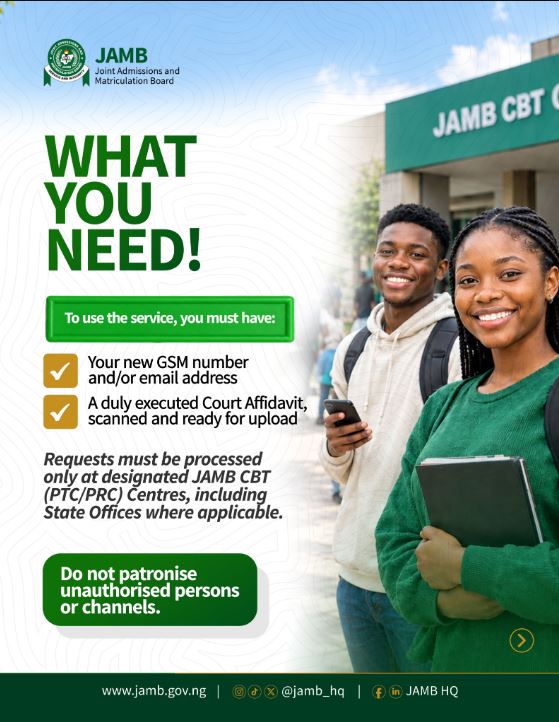
The Joint Admissions and Matriculation Board (JAMB) has introduced a new process for candidates who need to replace their registered phone number or update the email address linked to their JAMB profile.
The service, which commenced on Monday, September 21, 2026, is intended for candidates with genuine cases involving loss of access to their registered GSM number, email address, or both.
Candidates who need to make this update can now process the request through designated JAMB CBT (PTC/PRC) Centres, including JAMB State Offices where the service is available.
IMPORTANT CONDITIONS
Candidates should take note of the following before starting the process:
- The service is available only at designated JAMB centres.
- Candidates must undergo biometric verification before the change can be processed.
- The service can only be accessed once.
- Candidates are required to provide the necessary supporting documents for the request.
- Applicants should avoid using unauthorised agents or unofficial platforms for the process.
HOW TO CHANGE YOUR JAMB PHONE NUMBER OR EMAIL
Candidates who need to use the service should follow these steps:
1. Log in to your JAMB e-Facility
Access your JAMB profile using your existing login details, JAMB Registration Number or Profile Code.
2. Make Payment
From your e-Facility account, select:
“SIM Swap/eMail Change Payment”
Proceed to make the required payment for the service.
3. Visit a Designated JAMB CBT Centre
After payment, proceed to a designated JAMB CBT (PTC/PRC) Centre or applicable JAMB State Office.
At the centre, access the SIM Swap/eMail Change Quicklink.
4. Enter Your Details
Enter your Profile Code or existing GSM number and select “Fetch Details” to retrieve your information.
5. Complete Biometric Verification
Your biometric information will be captured and verified before the request can continue.
6. Select the Service Required
Choose the option that applies to you:
- GSM Number Only
- Email Address Only
- GSM Number and Email Address
7. Enter Your New Details
Provide the new phone number and/or email address you want to register on your JAMB profile.
You will also be required to upload a scanned Court Affidavit as part of the process.
8. Submit the Request
Review the information carefully and click “Update” to complete the process.
A confirmation message will be displayed once the update has been successfully completed.
⚠️ IMPORTANT WARNING
Candidates should ensure that they process this service only through official JAMB channels and designated centres.
Do not give your JAMB login details, OTPs or other sensitive information to unauthorised individuals claiming they can change your phone number or email remotely.
Since the service is available only once, candidates should carefully verify the new phone number and email address before submitting the request.
NEED HELP WITH YOUR JAMB PROFILE?
If you have lost access to your registered SIM or email and need assistance understanding the process, Gift Consult Online Services can guide you through the required steps.
📞 Call/WhatsApp:
09160943423
07049662897
🏢 Office Address:
Shop PB7, Eko Market (Behind Faculty of Arts),
LASU Main Campus, Ojo, Lagos State.
Always use the official JAMB process for changes to your admission profile.